
If you’ve update Evernote recently you might have missed the new arrow button in the menu bar.
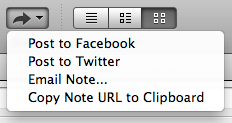
Now I love this feature and find it very interesting because Phil Libin has said that Evernote is the anti-social, anti-viral software, that it’s about you and what’s in your head (see below). However, now Evernote is allowing you to use both Twitter and Facebook to share what is in your head and it’s simple to do!
When you want to share something all you need to do is:
- Select the note you want to share and the social outlet you want to use.
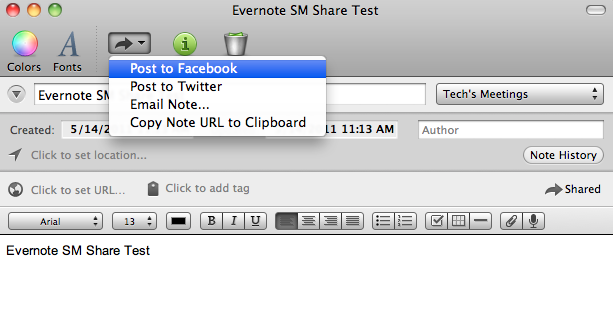
- Login to the service using your credentials for that social account
- Type a message & post/send

- Any note that you’ve shared will have a “Shared” icon in the menu bar

That simple!
What you’ve now shared is a read-only copy of your note.
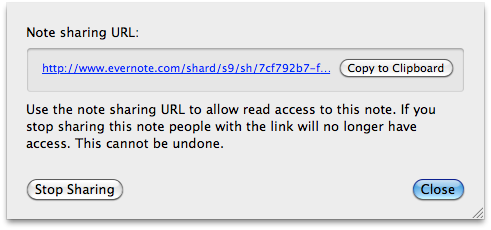
You can stop sharing the note by:
- Selecting the note you’ve shared, select it’s options (control-click on Apple / right-click on PC) and select it “Note Settings…”
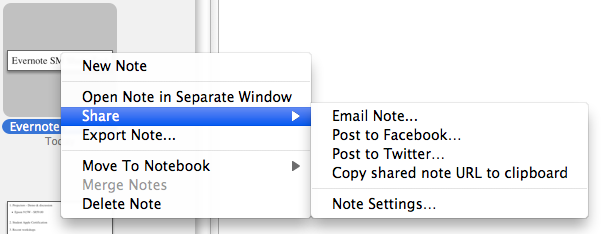
- Click “Stop Sharing” and you’re done.
I love this feature as it now provides a way for you to share information with a large number of people in you social circle that may or may not (god forbid) not have Evernote. By sharing on Facebook you can share with your “friends” and on Twitter your “followers”.
By providing options on both of these social networks and depending on how you define your own personal social media guidelines you can tailor who you are sharing your notes with.
Videos of Phil Libin talking about Evernote and social media:
Phil Libin, Evernote from Arik Hesseldahl on Vimeo.